Case 03 · Amazon Robotics

Mapping operator workflows and exceptions across robotic workstations.

Vulcan is Amazon's first robot with a sense of touch. It picks and stows roughly 75% of items at the fulfillment center where it operates — but it still depends on a human operator to feed and validate every item inducted. I led the operator-side UX for the Vulcan Stow workcell at the Spokane site.

Role

Senior UX Lead — operator-side UX

Team

Robotics, hardware, ops, program

Timeline

2024 – Present

Where robots meet operators

Vulcan automates part of the stow workflow. While the robot stows items into pods, a human still has to feed it — scanning each item, checking eligibility, and routing the ones the robot can't safely handle.

The robot's job

Vulcan stows inventory into the top and bottom rows of storage pods so associates can stay in their power zone — no ladders, no bending.

The operator's job

A human feeds the robot: scans each item, checks eligibility, and re-routes the ones Vulcan can't safely or successfully stow.

Why UX matters here

Every item is a decision: is this Vulcan-eligible? Is it damaged? Is the barcode readable? Get it wrong and a defect lands on the storage floor.
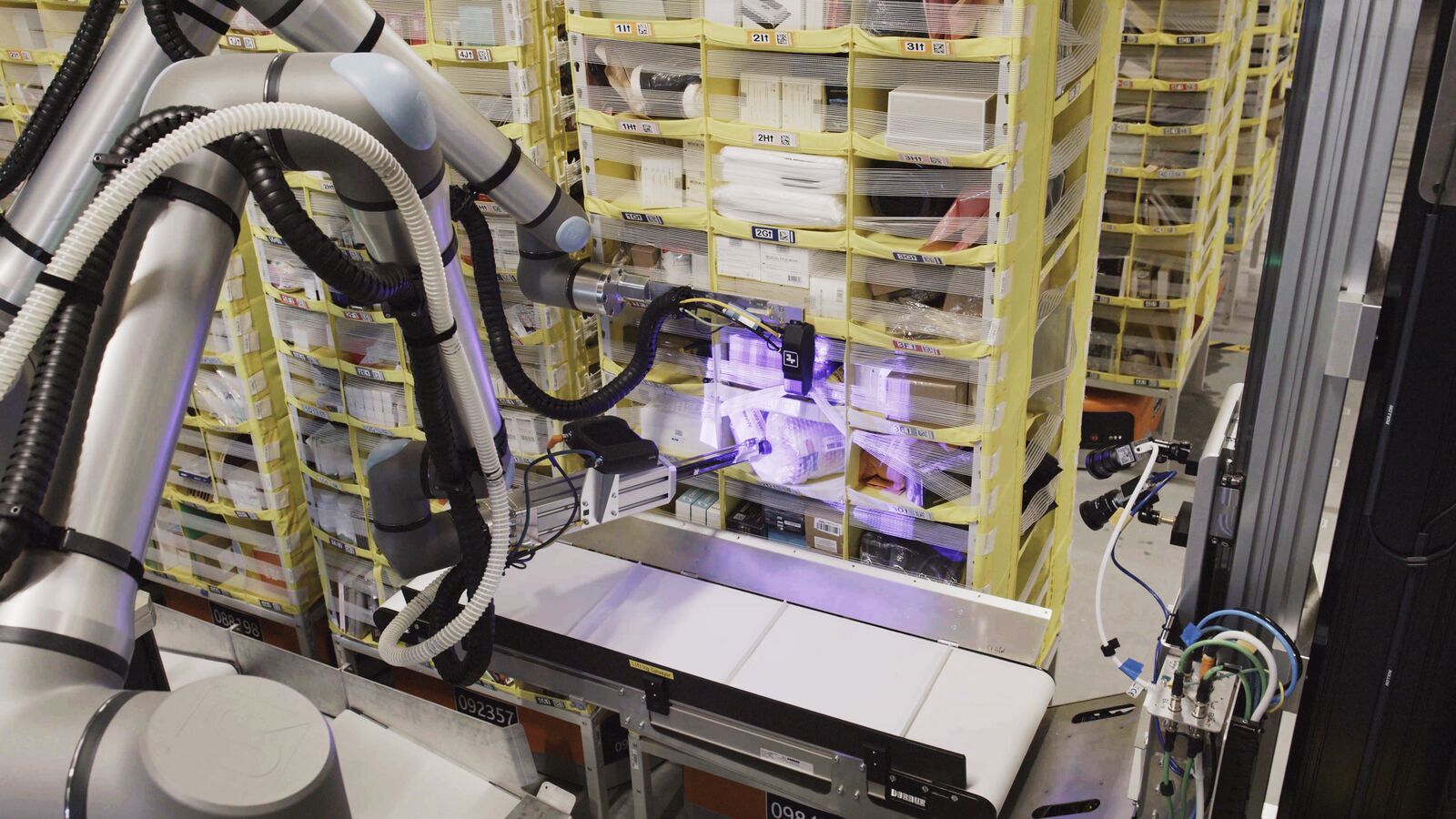
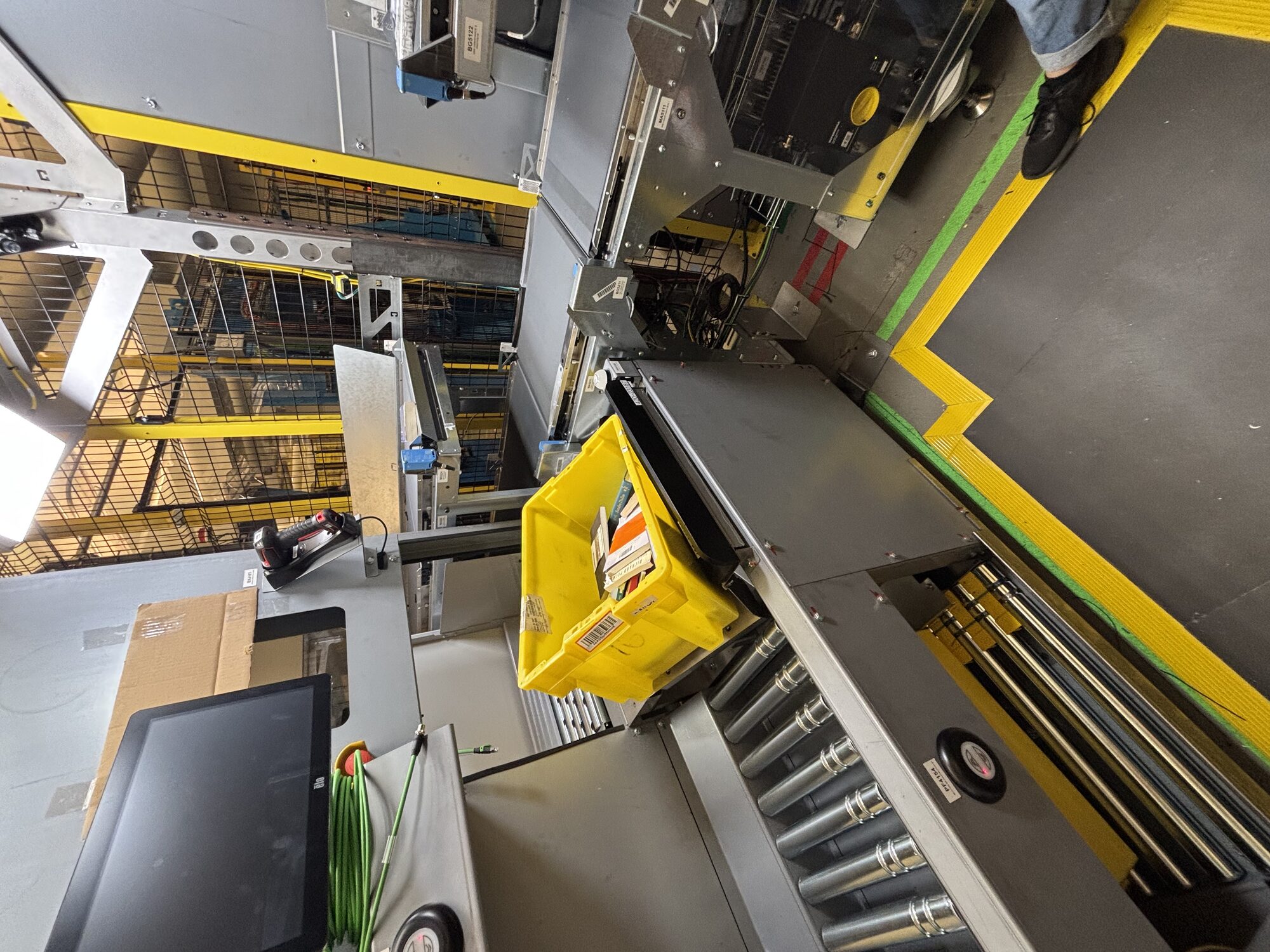
I led the operator-side UX for Vulcan Stow — building a shared outcome framework (CXOs) that made every human task and every exception path explicit across Amazon Robotics programs.
Exception paths were treated as edge cases

Without a shared model for operator outcomes, failure-state UX consistently lost prioritization to happy-path features — across every program, not just Vulcan.

A framework for operator outcomes

I defined Customer eXperience Outcomes (CXOs) — data-supported statements describing what an operator needs to accomplish at each step of a workflow, including failure states.

One example of a CXO

Scan item— task step

04Seek time— KPI

Recognize a valid item scan— outcome

… easily

… quickly— modifiers

Associates— role

Mapping the workflow — and its exceptions

Every operator workflow begins as a happy-path sequence — but the real determinant of throughput is how the operator handles the failure states the happy path doesn't cover.

Sign in Stage active tote Singulate item Scan item Place on induct conveyor
5x. Sideline ineligible item 5xx. Sideline problem-solve item

Sidelining an ineligible item and surfacing a problem-solve item are distinct sub-tasks — each with its own outcomes, UI, and recovery path.

Design for failure, not around it.

Resolving each step into its touchpoints

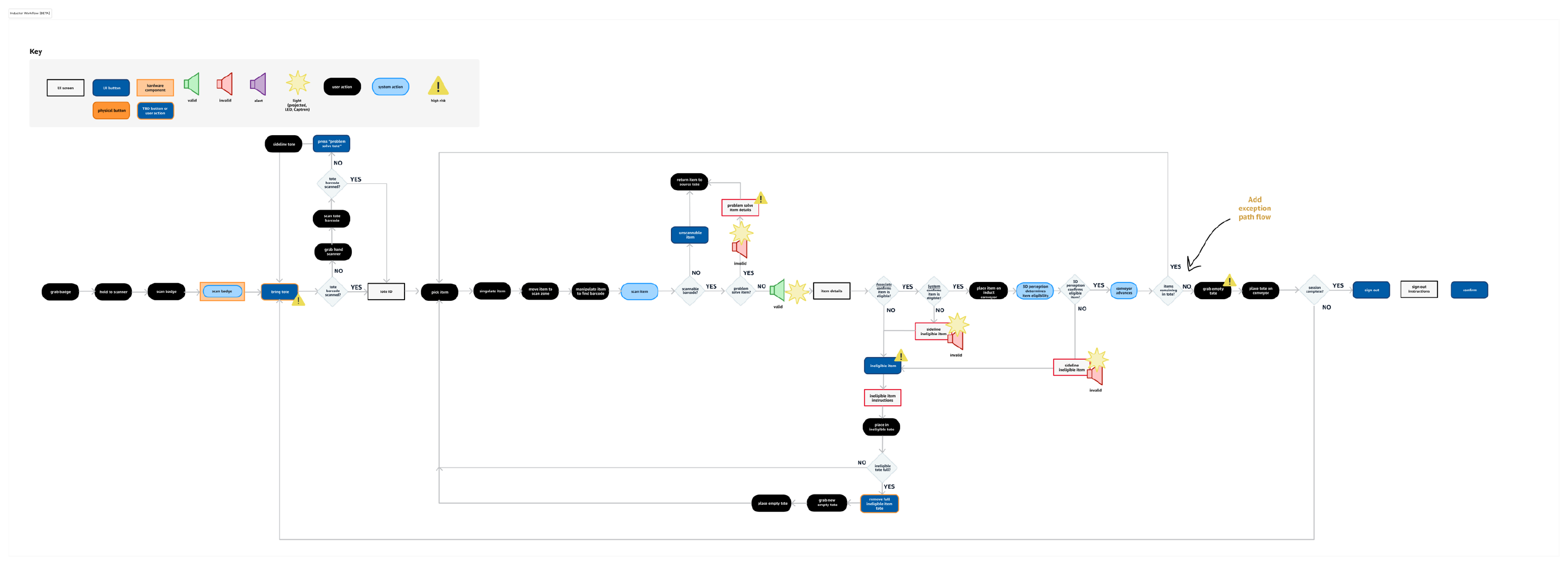
From the workflow, I built a touchpoint diagram identifying every component required to support an outcome — UI screen, UI button, physical button, hardware component, light or audio cue. High-risk markers call out where a single missed scan becomes a downstream defect.

Touchpoint diagram of the Vulcan Stow inductor workflow showing every UI screen, hardware component, signal, and high-risk marker
The diagram resolves each task into the components needed to achieve the outcome — making the screen surface, hardware, and signaling required for each step explicit and reviewable.

Determining outcomes for every sub-task

I facilitated cross-functional body-storming workshops to enumerate the outcomes an operator needs to achieve — at every task and every exception. Participants: UX, product, engineering, ops, and operator SMEs from each affected program.

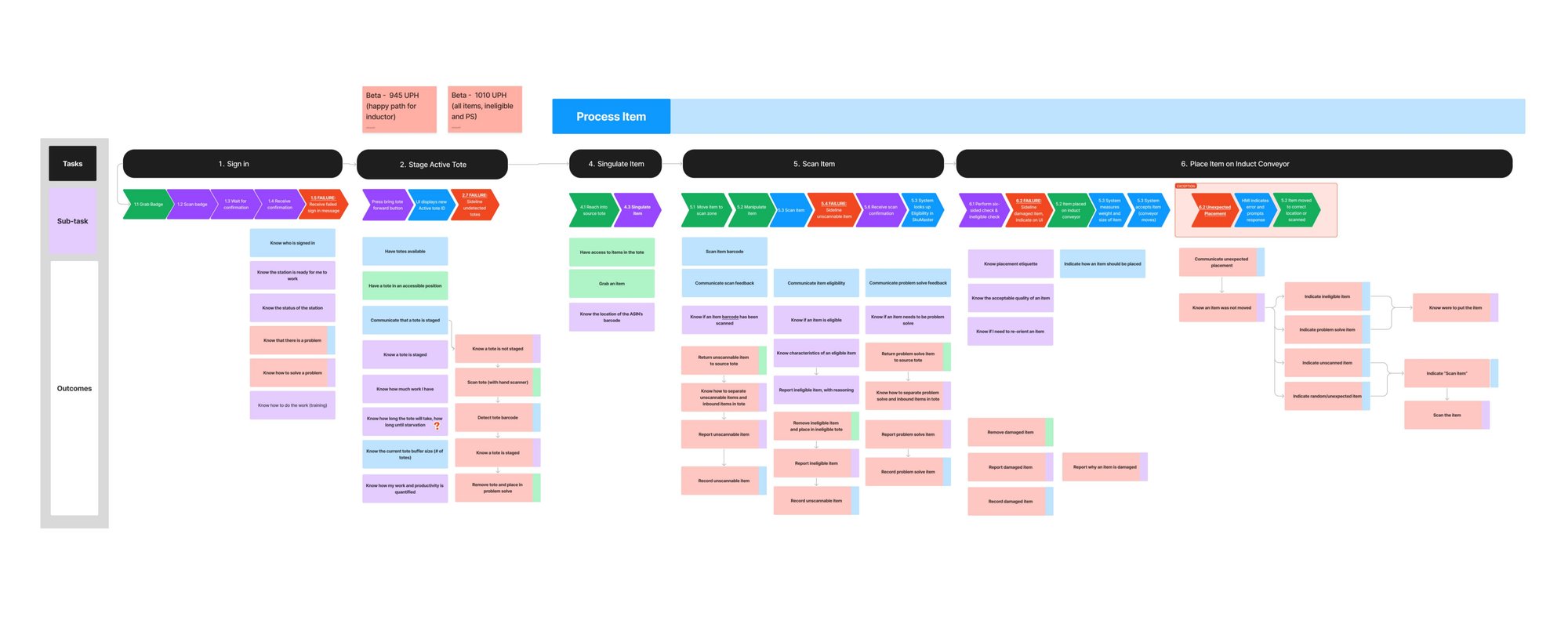
Starting from the workflow diagram, each task becomes a column and each operator outcome becomes a row — happy-path and exception alike:

Sign in Stage tote Singulate Scan item Place on conveyor
Body-storming workshop output: a matrix of operator outcomes mapped to each task and sub-task across the Vulcan Stow workflow, color-coded in red, green, and purple
Body-storming workshop output — operator outcomes mapped to every task and every exception sub-task across the Vulcan Stow workflow.

Result: a grounded inventory of operator outcomes, including all failure and recovery states — scored against measurable speed and desirability targets.

Identified risk

A single scan-item failure path tied directly to the program KPI of 1,000 units per hour. Mapping the exception sub-tasks let product and engineering invest in failure-state UX before launch — not after rework.

Using CXOs in design

CXOs prioritize and define design that enables users to meet KPIs. I worked alongside contract designers on the UI with one rule: every feature has to help the user achieve a specific, named outcome — or it doesn't ship.

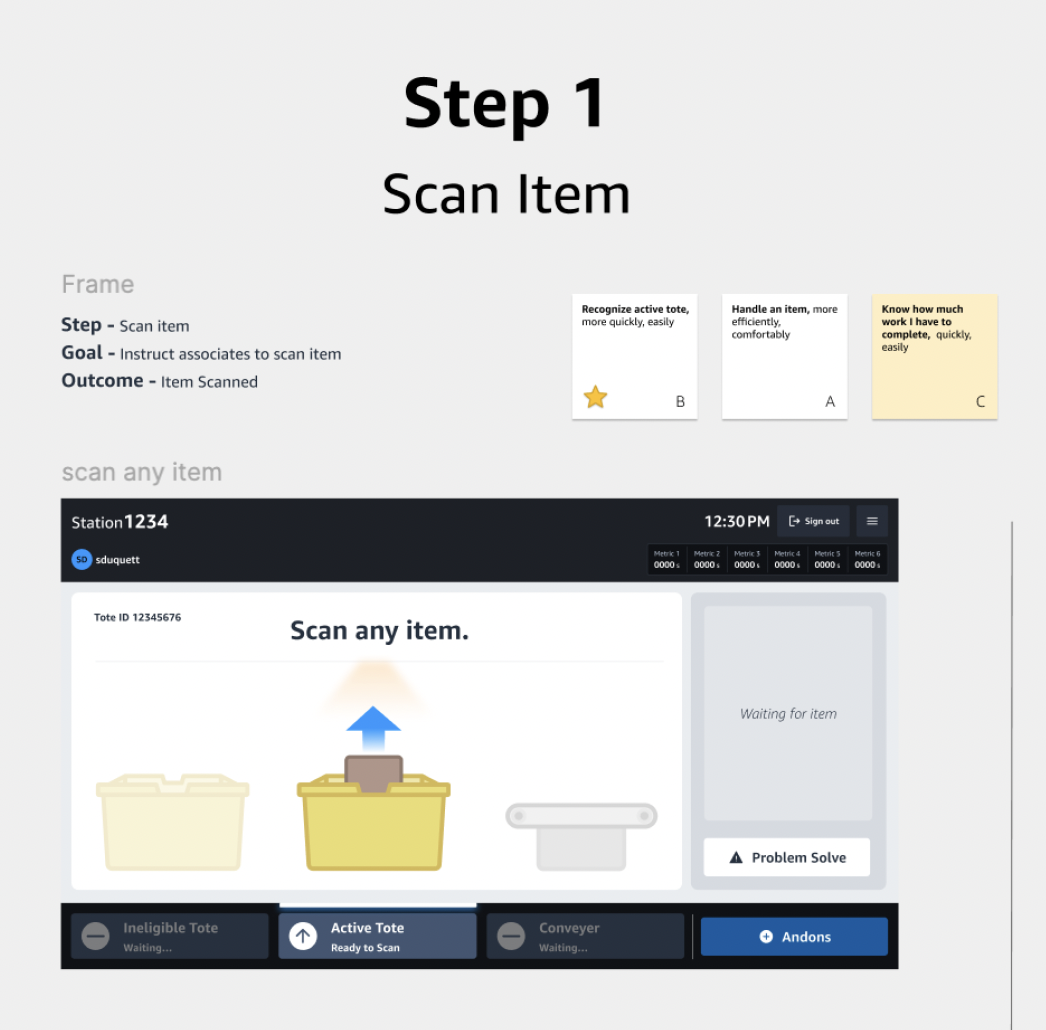
Using CXOs in Design — Step 1 (Scan item) and Step 2 (Place successfully scanned item), each annotated with its frame, goal, and outcome

Using CXOs in research

CXOs also verify that users can complete an expected action and meet KPIs. On-floor research with the new station revealed scan-item outcomes that weren't being achieved — operators visibly scratching their heads, unsure what action to take next.

On-floor observation — operator visibly hesitates after a scan, unsure whether the system confirmed it or not. The scan-item CXO wasn't being met.

Closing the loop

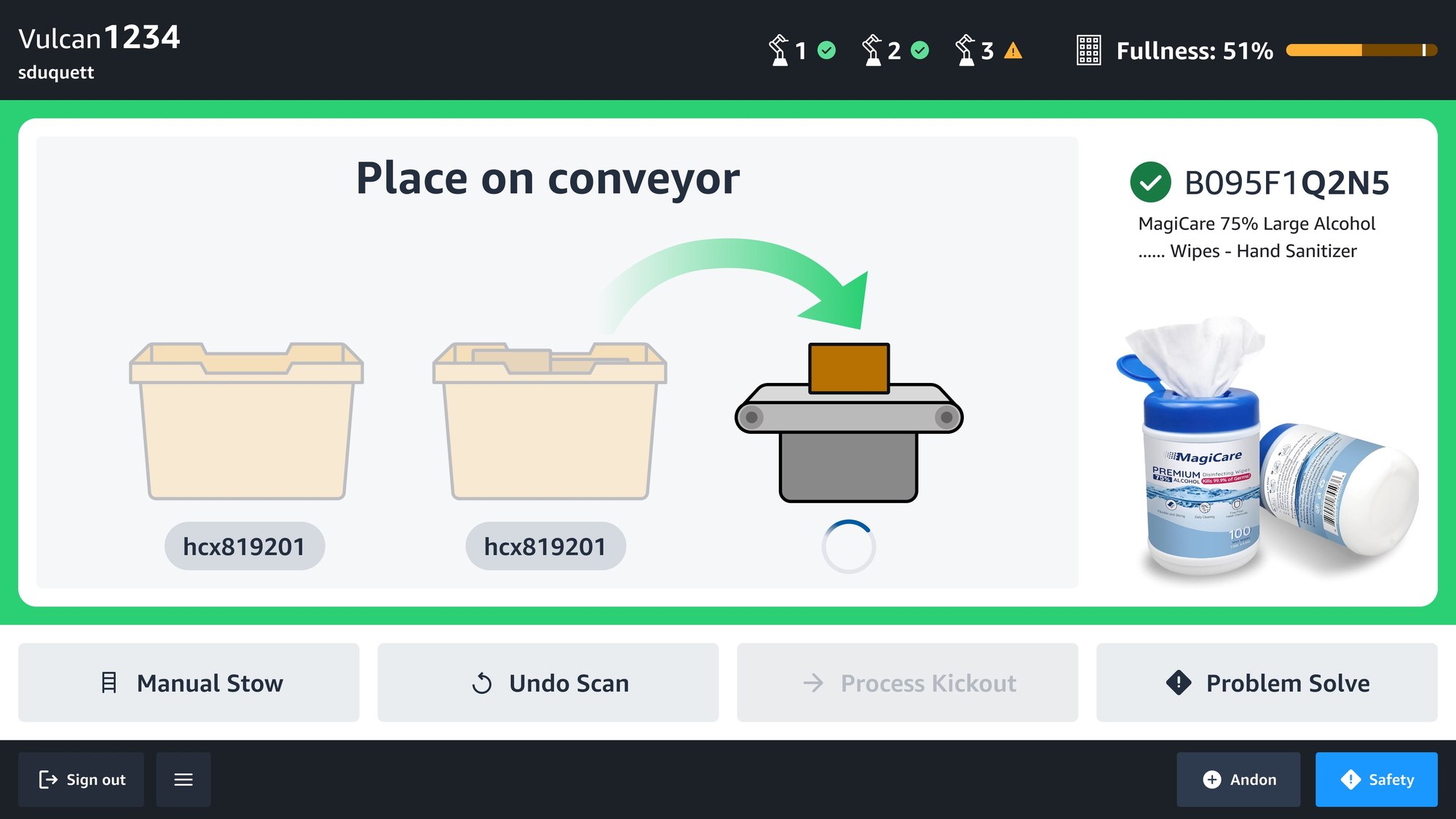
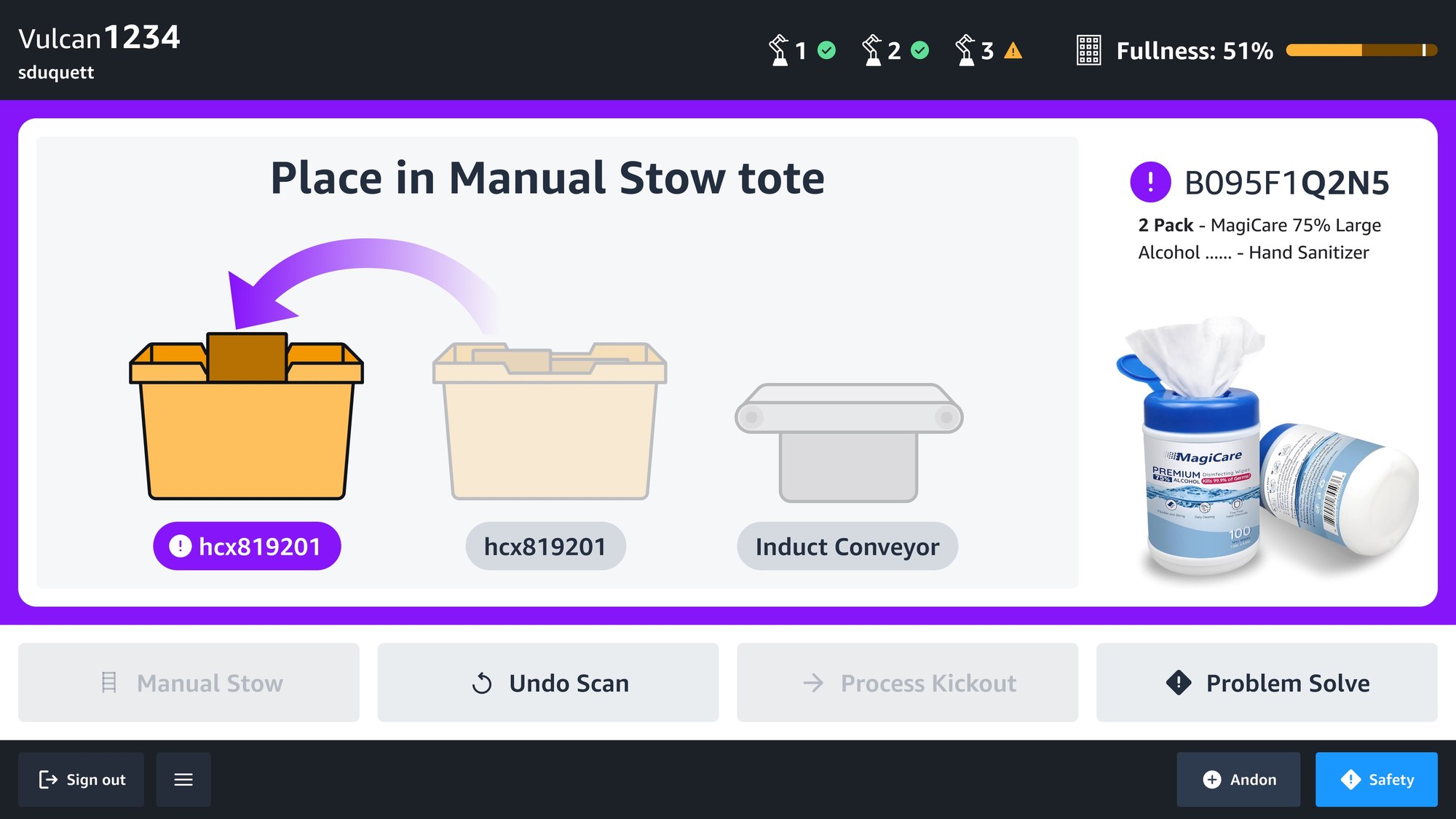
The research findings fed directly into the next UI iteration — two distinct, color-coded scan-feedback states that make the next operator action explicit: green directs Vulcan-eligible items to the conveyor; purple routes ineligible items to a manual-stow tote. Plain language, intuitive visuals, no more guesswork.

Operational impact

The CXO framework became the connective tissue between operator research and feature-level product decisions across Amazon Robotics.

Mapping workflows and their exceptions in a measurable, shared format turned operator UX from a feature-by-feature negotiation into a strategic input to robotic systems design.

Next case studyMapping Exceptions and Problem Solve Handling →
Case 04

Get in touch

Currently exploring senior & staff-level UX roles in systems thinking and service design.